Frequently asked questions
Purchases
I bought something but didn't get it
Make sure you're signed in with the same Apple ID you bought it with, then open the Shop and tap
Restore Purchases (in the Bundles section). This restores the Starter Pack and Remove Ads.
Gem packs are added the moment the purchase completes. If a gem pack didn't arrive, close and reopen the game
while online. If it's still missing, contact support with the date and the pack you bought (no receipt
numbers needed).
How do I get a refund?
All payments are handled by Apple, so refunds are requested from Apple at
reportaproblem.apple.com. We can't issue refunds ourselves.
If a refund is granted, the purchased items may be removed from the game.
What does Remove Ads do?
It permanently turns off the ads that play between games. Reward ads stay optional: you can still watch
one when you choose to, for free gems, a free gear draw or double coins. Remove Ads is a one-time purchase and
can be restored on your other devices with the same Apple ID.
Can I share purchases with my family?
Purchases are tied to the Apple ID that bought them.
Progress
Is my progress saved? Can I move it to a new phone?
Your progress (games, coins, gems, cosmetics, gear) is saved on your iPhone. It's included in your iPhone's
iCloud or computer backup, so restoring a backup to a new phone brings it along. Deleting the app deletes
your progress, and there's no online account to recover it. Purchases can always be restored with
Restore Purchases.
Why did my coins or training reset?
That's the Hall of Fame. Joining it starts you over at Game 1 in exchange for rings and permanent bonuses.
Your gems, cosmetics and trophies stay. Replayed games are shorter quick games at 2× speed until you pass
your old best.
Will I earn coins while the app is closed?
Yes. Your camp earns idle coins while you're away, up to a time limit, and you collect them when you come back
(watch a reward ad to double them). Auto-Train only spends coins while the game is open.
Gameplay
How do downs and fumbles work?
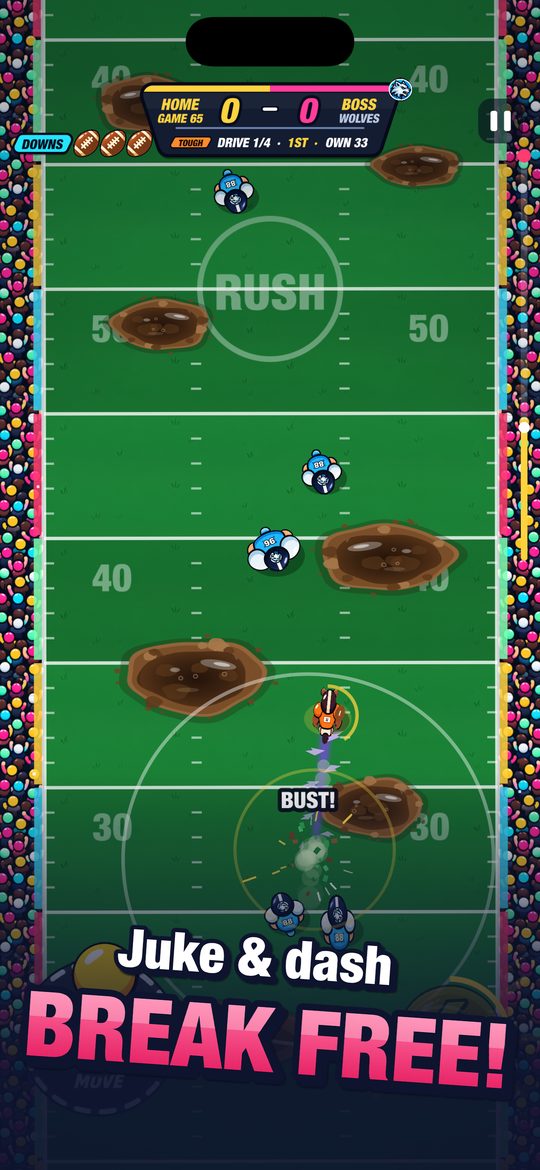
Each drive has 3 downs: every tackle uses one. In field-goal range, your last down can be a field goal.
Running head-first into a big hit or getting hit by a charging blitzer can cause a fumble, which
ends the drive. Fumbles start at Game 4. Tied after regulation? Overtime: score a touchdown first and you win;
otherwise the other team gets one chance to answer.
The game feels too hard. Any tips?
Train Sprint and Burst between games, cut around defenders instead of running straight at them,
and save DASH for gaps. After a few losses in a row you get a comeback boost. How to Play (the ? button)
explains twists, hazards and bosses.
Ads & privacy
How often do ads play?
At most one ad after every 2 finished games, never during play, never before Game 3, and never within 90
seconds of another one. Reward ads only play when you tap to watch one. Buy Remove Ads to turn off the
between-game ads.
How do I change my ad privacy choices?
In regions that need consent (such as the EU, EEA, UK and Switzerland), the game asks before showing ads. You can
change your answer any time:
Settings → Privacy options in the game. Ads in the game are always
non-personalized, and the game never asks to track you. More in the
Privacy Policy.
Can I turn off notifications?
Yes. Notifications are only local reminders (your camp is full, your daily streak). Turn them off in iPhone
Settings → Notifications → Gridiron Rush.